Jul 27
Convert Photos into Stone- Photoshop Tutorial
Case Studies, Photography, Photoshop, Tutorials by Nando Add comments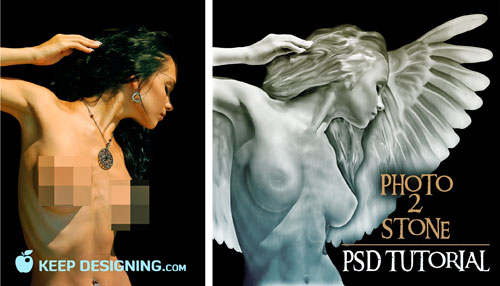
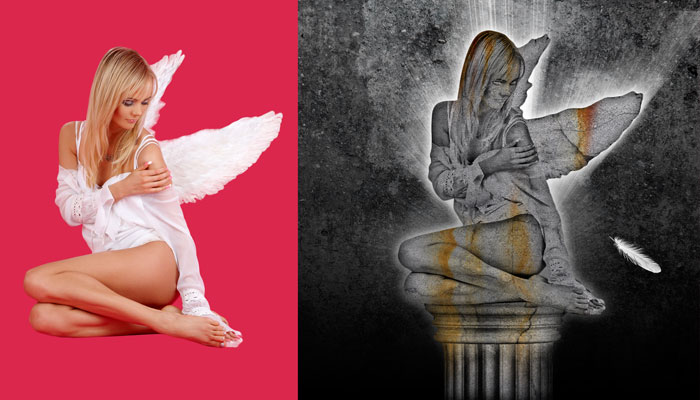
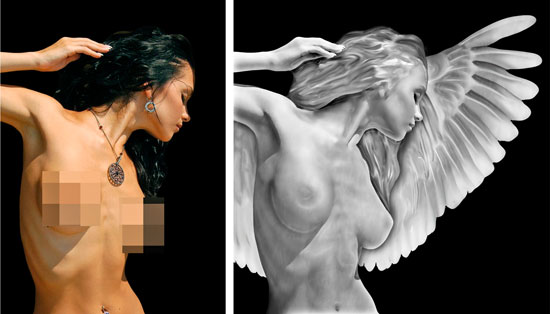
Photoshop special effects are amongst my favorite things to do with photographs.� I recently found a tutorial over at psdtuts.com that shows you how to convert a regular portrait photo into a Michelangelo-esque statue using a few photoshop tricks.� You can see my two attempts at following this tutorial below. One statue looks more like stone, I then added a column and some lighting.� I made the other statue look more like marble for a sleeker surface texture, I then added some angel wings.
Follow the link over to psdtuts.com to learn this cool photoshop effect.� Thanks for checking us out.

August 23rd, 2008 at 1:36 pm
Nice effect.
August 28th, 2008 at 4:43 pm
VERY NICE!!! EXCELLENT!!
October 22nd, 2008 at 7:23 am
I like how your second attempt turned out more than the original tut. Nice job! Looks infrared.
November 14th, 2008 at 5:48 am
nice effect
nice job
perfect
February 17th, 2009 at 7:01 am
Interesting blog, look forward to more.
March 4th, 2009 at 11:26 pm
thanks
August 7th, 2009 at 9:38 am
Nice trick, thanks for share…
October 8th, 2009 at 2:18 pm
Love the effect…especially the marble-effect one. Not able to pull up the tutorial…can anyone help?
October 8th, 2009 at 2:31 pm
@Basictype, here’s the link to the statue tut:
http://psdtuts.com/tutorials-effects/create-a-graphic-statue-in-photoshop/
May 5th, 2010 at 4:11 am
A very intresting site.
Is there any information about the dark haired girl on the photo? I’m lookin for a model like her.And she is perfect.
June 14th, 2010 at 11:41 am
@10:
I think she’s actually to be found all over the net, I’m pretty sure that girl is the soft porn model known as katie fey. You’ll find her;)
August 5th, 2010 at 8:42 am
Awesome tricks,many thanked for that
September 17th, 2010 at 10:58 am
It was WOW
Thank you
October 1st, 2010 at 5:37 am
Thank you, thoroughly enjoyed reading your blog.
July 17th, 2011 at 8:54 am
Awesome tutorial. Thank you
April 23rd, 2012 at 2:14 pm
Sorry but… WHY YOU CENSURED WOMAN BEAUTY?… In statue is politically correct and in a photography not?… i don´t understand this double moral.
November 5th, 2012 at 8:52 am
Cool, this is great! 10x